 Auto Secure Login
Bring your website list.
Open CSV, TSV, text, JSON, or Excel. FormRunner finds the website column, and you can choose another. Start with a simple text file if spreadsheets are new to you.
ASL FORMRUNNER · WINDOWS
Turn a website list into filled contact forms. Save your details, check each preview, and choose exactly what gets sent.
A paid Microsoft Store release is planned after testing. Public downloads are not available.

YOUR WORKFLOW
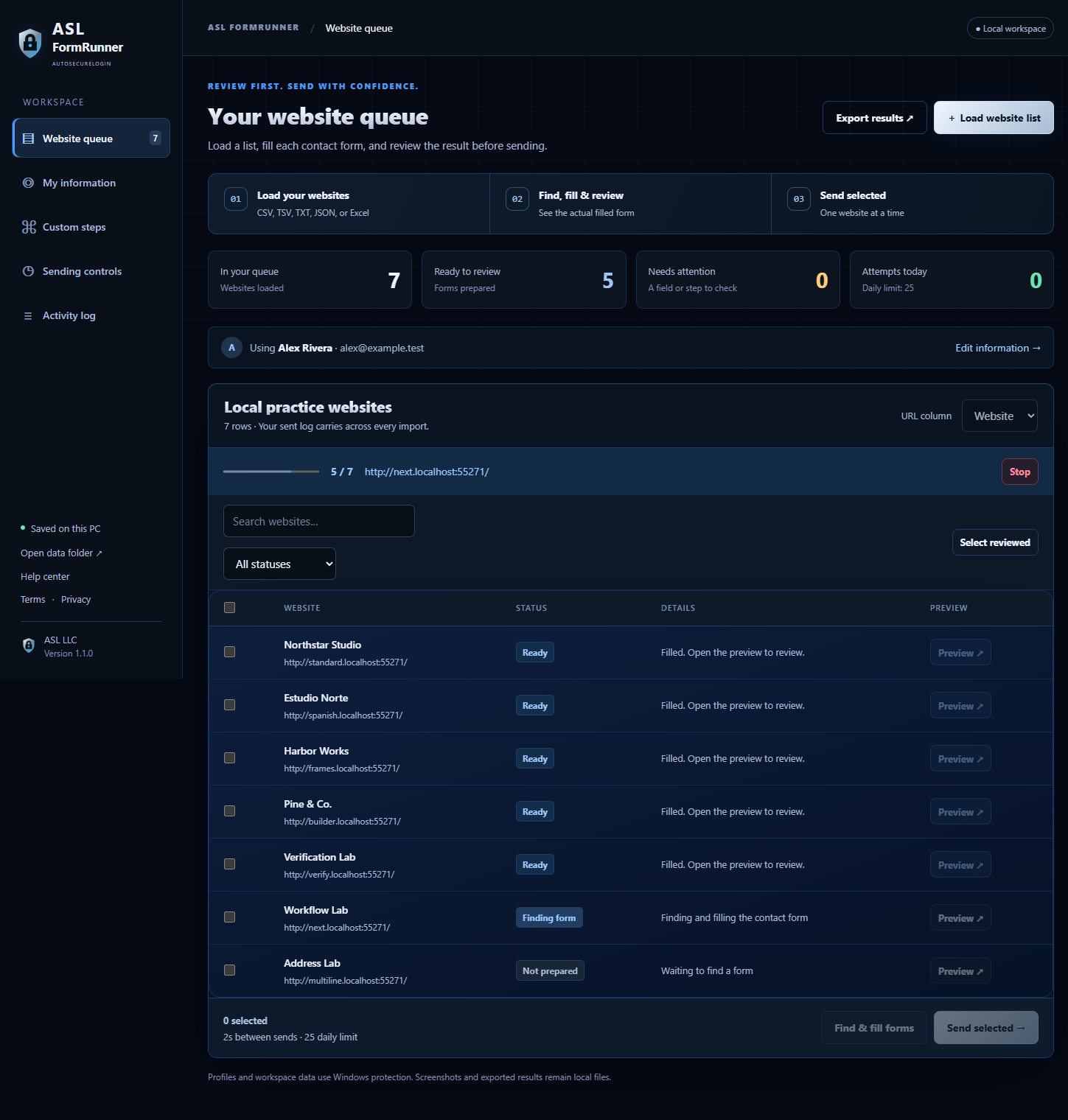
Open CSV, TSV, text, JSON, or Excel. FormRunner finds the website column, and you can choose another. Start with a simple text file if spreadsheets are new to you.
Save your details once. Find contact forms, including embedded forms, then inspect a picture and the filled values for each site. Mark the forms you have reviewed.
Send selected, reviewed forms one at a time. Set a pause and a daily limit. Keep a permanent record of attempts, exclude websites, and export your results.
INSIDE FORMRUNNER
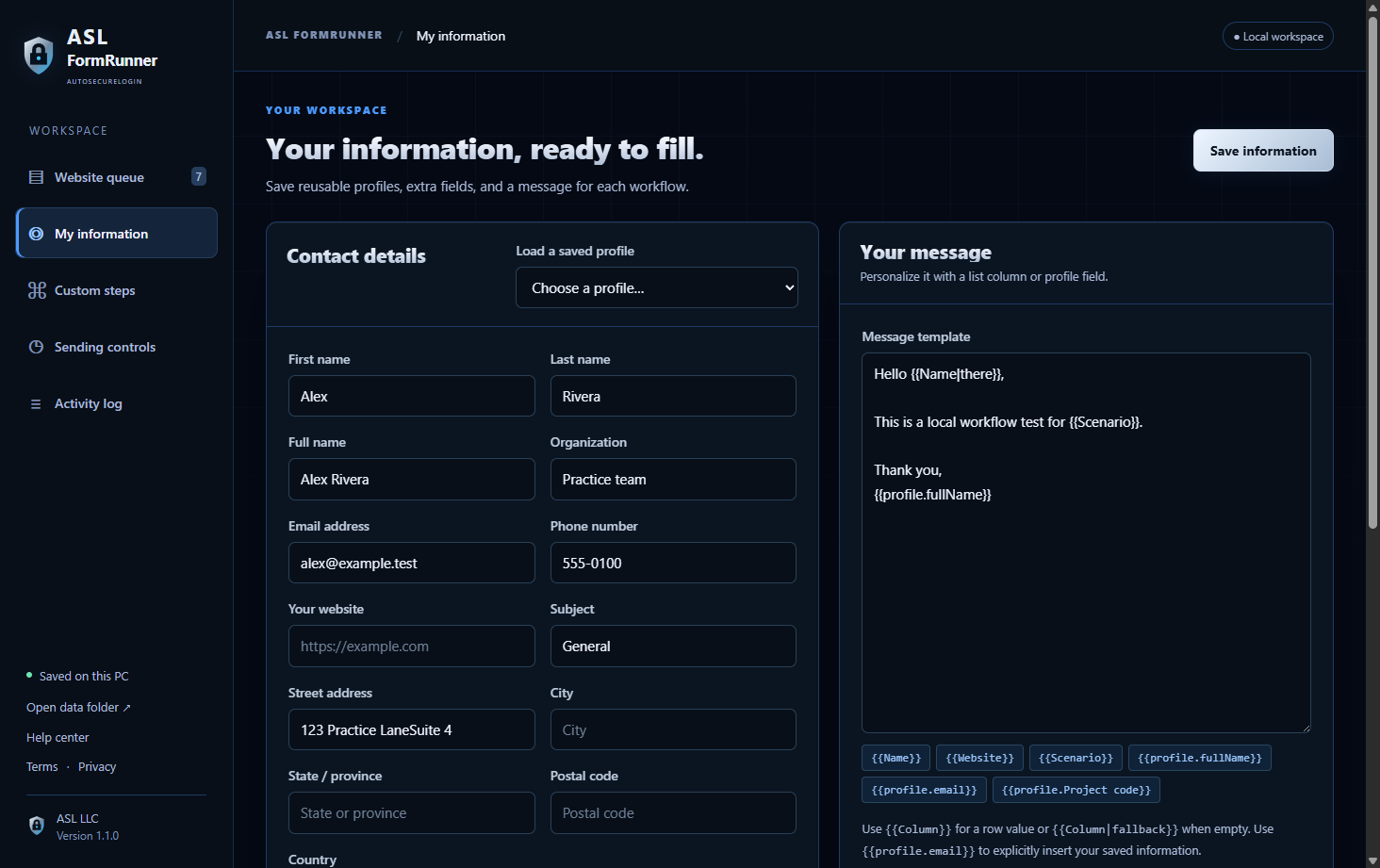
Keep separate named profiles with their own messages. Add or delete custom fields for details such as a project code or department. Loading a profile restores its fields and message together.
Use a list column or saved value in your message, with an optional fallback when a value is empty.
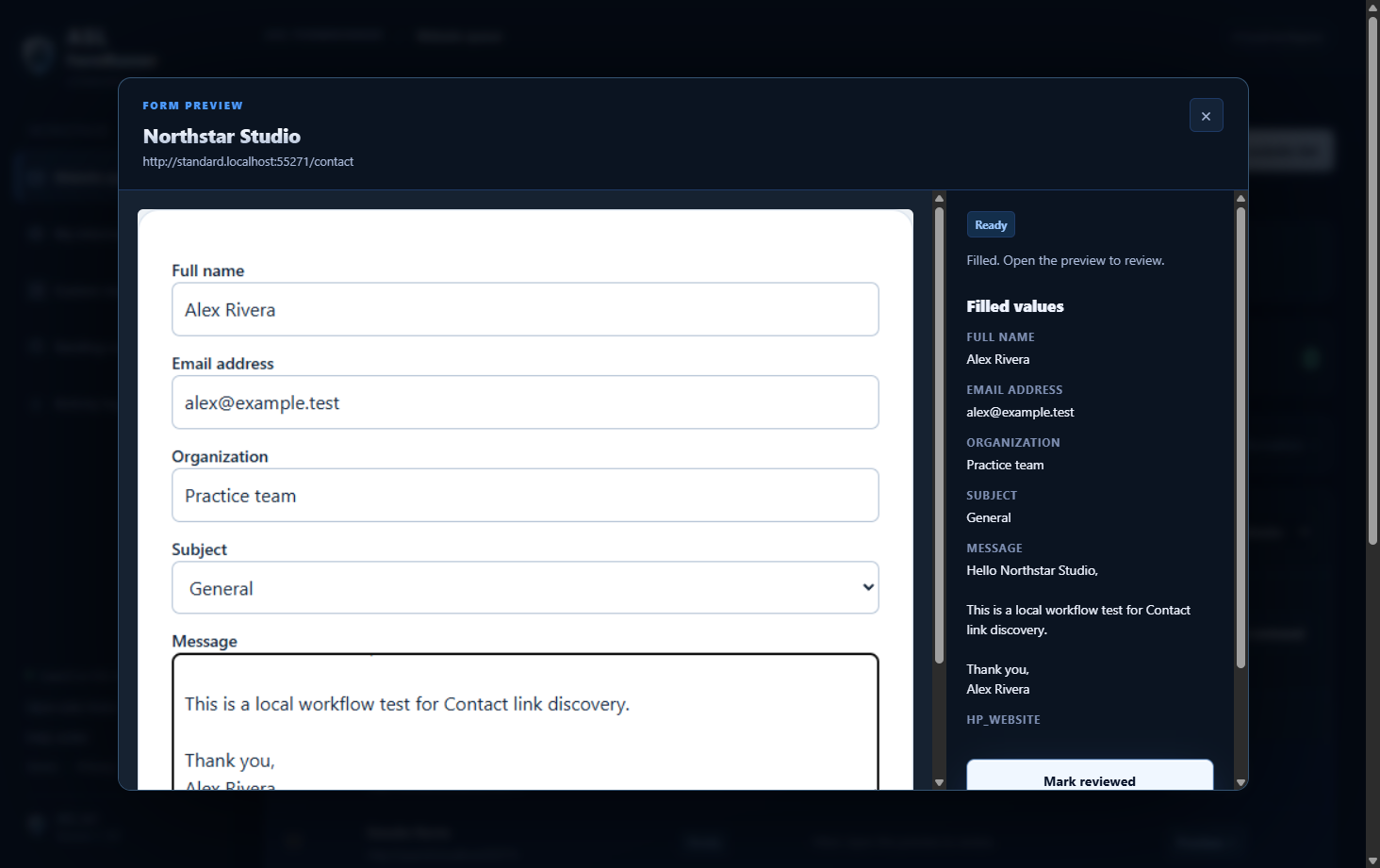
Open the filled-form picture and read the actual values. You explicitly mark the preview reviewed before Send becomes available.
If the form changes during the final check, FormRunner asks you to review the new picture. A website can still observe typing through its own scripts.
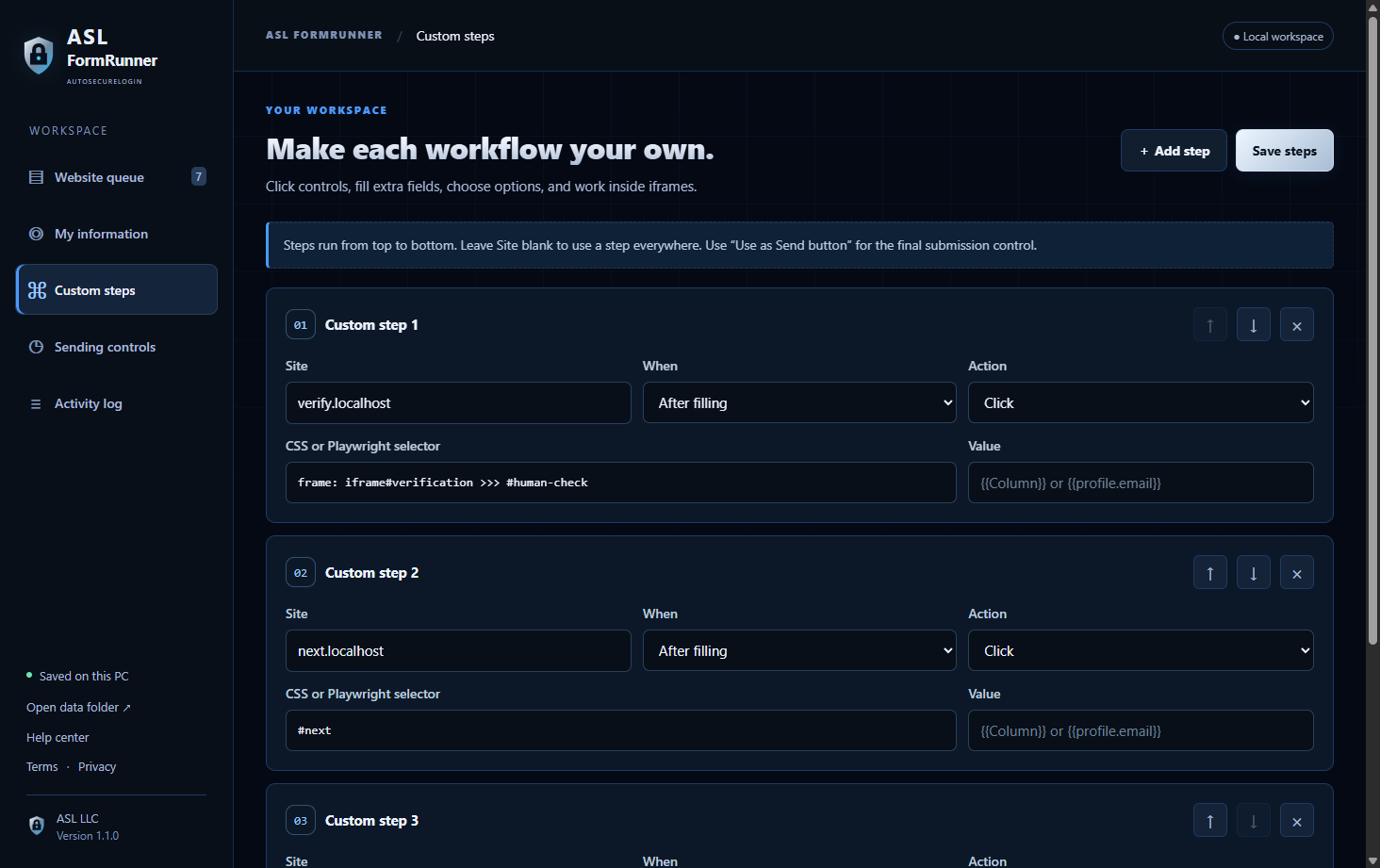
Add ordered steps to type text, click a visible control, choose an option, tick a box, or identify the final Send button. Apply a step to one site or all sites.
Steps can reach controls inside frames. Verification controls can be clicked, but a provider may still require human interaction.
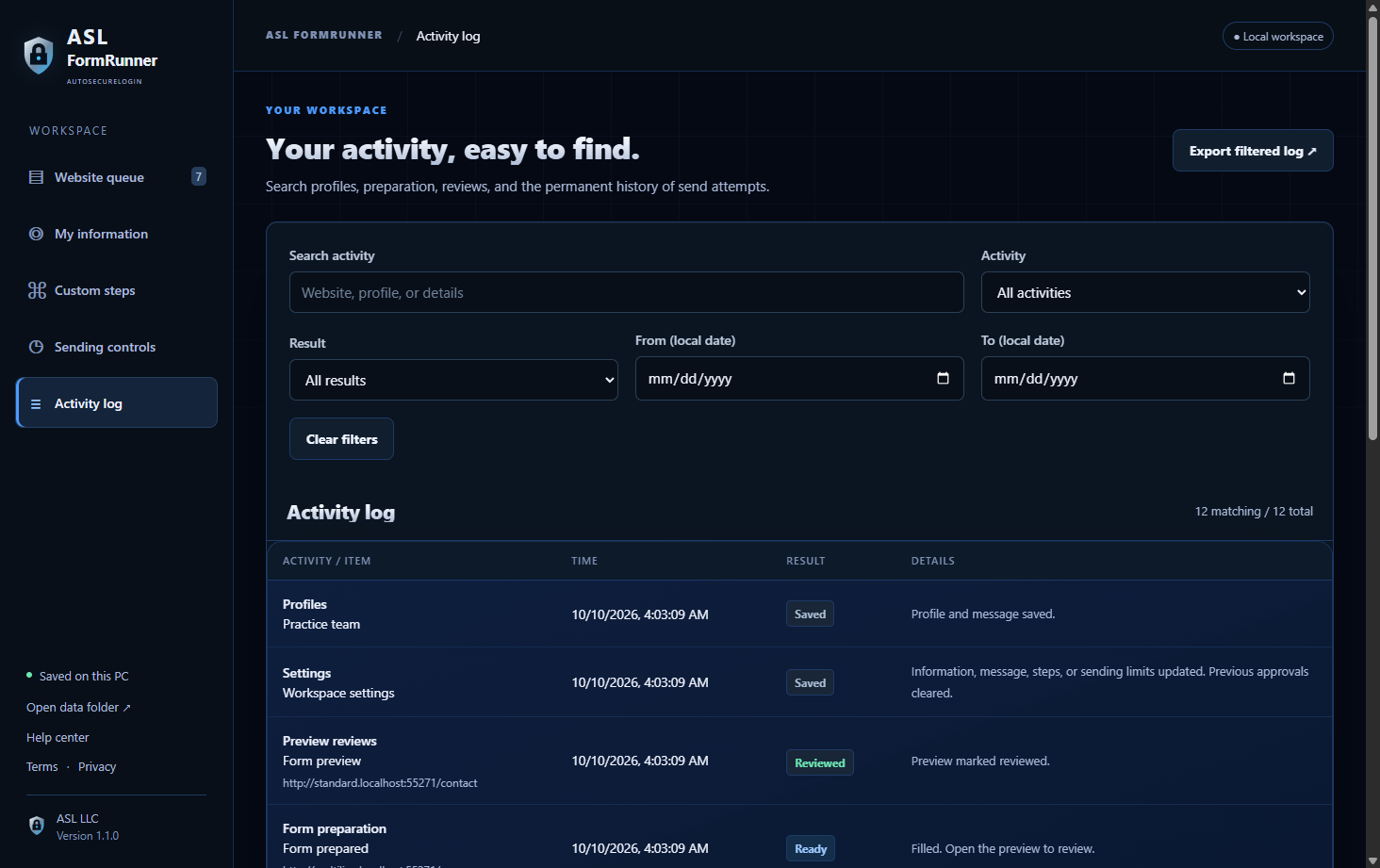
Search the activity history by website, profile, or details. Filter by activity, result, and date, then export all matching records.
The send history stays with your workspace when you import a new list, helping prevent a second attempt at the same site.
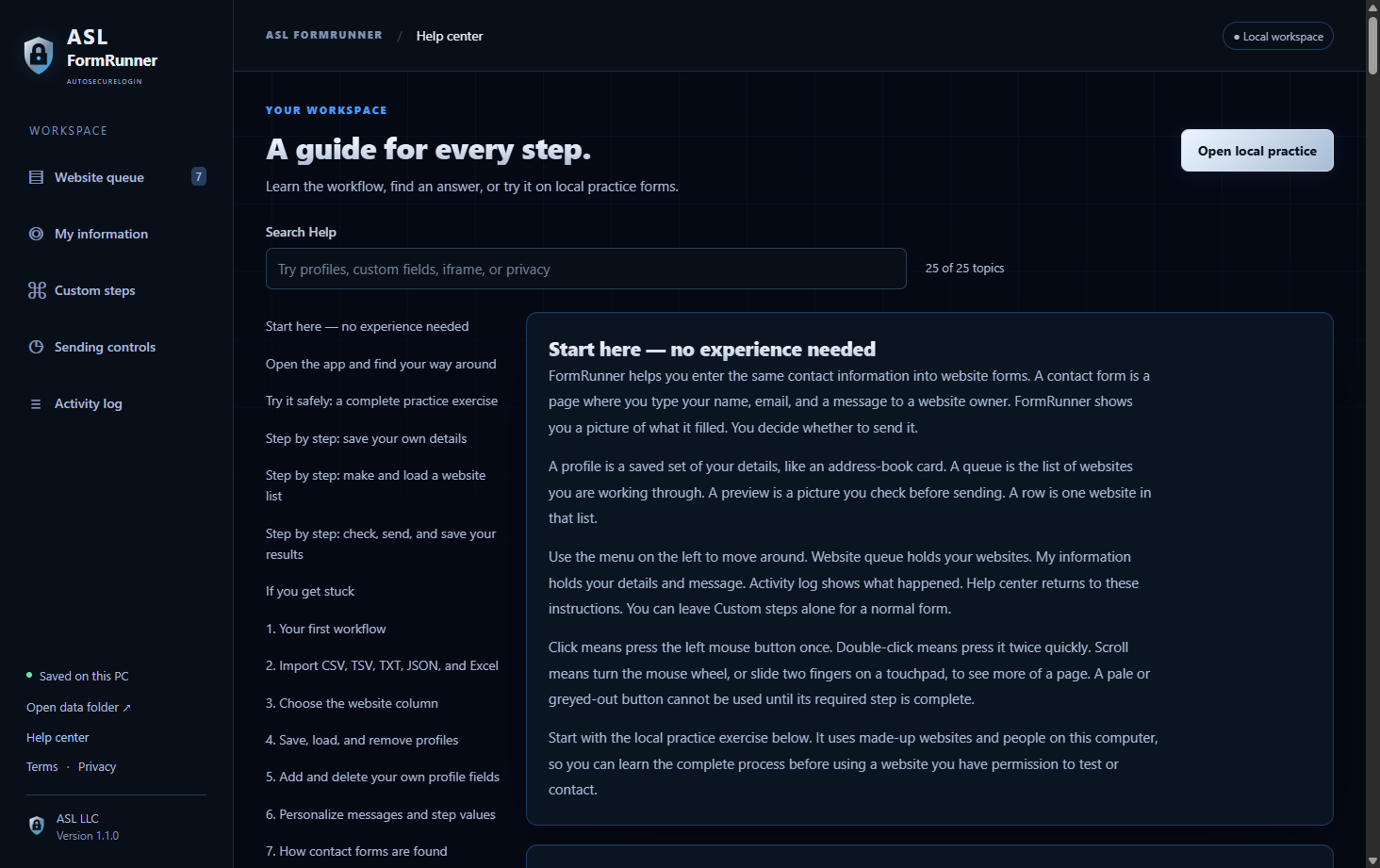
A 25-topic Help center explains opening the app, saving a profile, making a list in Notepad, and reviewing and sending forms. No previous automation experience is needed.
Follow a complete practice exercise on made-up local websites, or search for the step where you need help.
CONTROL & PRIVACY
Destination websites and their form or verification providers have their own privacy practices. See exactly what stays local and what a website may receive in the FormRunner privacy notice.
Use websites you own, administer, or have permission to test or contact. Each form needs your review. Custom selectors and website changes can affect the result.
Version 1.1.0 passed 45 automated local tests and 18 packaged desktop checks, including loading profiles, custom fields, activity filters, frames, review, and local submissions.
These tests do not certify every public website. “Confirmed” reports a page receipt; it does not establish email delivery.
How the app is tested →MICROSOFT STORE · COMING AFTER TESTING
No account, command window, Node.js, or separately installed automation browser is needed. The portable app includes its runtime and browser. First launch can take longer while it extracts them.
ASL FormRunner is in private testing on Windows. It will be sold through Microsoft Store after testing and the Store release process are complete. Pricing and availability will be announced with the listing.
Read the app terms and privacy policy. For product questions, contact ASL support.